
Download BizzaroFit – Health, Fitness, Real-Time Tracking, Sports, Movement, Sleep, Heart Rate, Blood Pressure, ECG Report
Overview
BizzaroFit is a lifestyle application designed for Android users seeking comprehensive real-time tracking of their health and fitness metrics. Developed by he ming, the app aims to empower individuals to monitor and manage their physical well-being through continuous data collection. It focuses on key physiological indicators including movement patterns, sleep duration and quality, heart rate, blood pressure, and ECG reports, presenting this information in a clear, accessible format.
The software enables users to gain deeper insights into their daily routines and physiological responses, supporting informed decisions about exercise, rest, and overall wellness. Target users include health-conscious individuals, fitness enthusiasts, and anyone committed to proactive lifestyle management. The app is positioned as a tool for understanding personal health trends and planning daily activities more effectively.
While the developer did not provide additional context about the app’s development philosophy or target demographic beyond Android users, its core purpose remains focused on personal health monitoring through continuous data visualization. Real-world usage scenarios include tracking workout intensity, analyzing sleep cycles, and identifying irregular heart rhythms via ECG data.
Key Features & Capabilities
- Real-Time Health Monitoring: Continuously tracks movement, sleep, heart rate, blood pressure, and ECG reports to provide up-to-the-minute health insights.
- Comprehensive Data Visualization: Renders complex physiological data into intuitive, easy-to-understand formats for immediate user comprehension.
- Lifestyle Integration: Helps users understand daily activity patterns and physiological responses to better plan routines and improve physical health.
- Personal Health Tracking: Enables individuals to monitor long-term trends in vital signs and physical activity to support wellness goals.
- Free Accessibility: Available at no cost on Android devices, removing financial barriers to health monitoring tools.
These capabilities allow users to observe how physical exertion impacts heart rate, correlate sleep quality with daily energy levels, or detect anomalies in blood pressure and ECG readings. The real-time nature of the tracking supports immediate feedback, which can be crucial during workouts or when monitoring health changes. For instance, a user might review their heart rate variability post-exercise or analyze sleep efficiency after a week of consistent training. The app’s focus on multiple health dimensions—physical activity, rest, and vital signs—creates a holistic view of wellness, helping users identify patterns and make informed lifestyle adjustments.
User Interface, Workflow & Performance
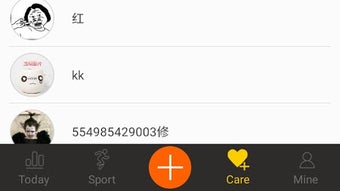
The user interface is structured to prioritize clarity and accessibility, presenting health data through visual dashboards and graphs. Navigation appears designed around core metrics, allowing users to switch between movement, sleep, heart rate, blood pressure, and ECG reports with minimal steps. The workflow emphasizes immediate access to real-time data, enabling users to monitor their status without extensive setup or technical knowledge.
While exact performance details were not specified, the app’s functionality suggests optimized data processing for continuous tracking on mobile devices. Stability is implied through the focus on real-time updates, though no information was provided about crash rates, background performance, or battery consumption. The developer did not specify resource usage details, so users should expect typical behavior for health-tracking apps on Android.
Workflow efficiency is enhanced by the app’s direct rendering of data, reducing the need for interpretation. Users can quickly assess their current state and historical trends, supporting timely health decisions without requiring external analysis tools.
Compatibility & System Requirements
BizzaroFit is designed exclusively for Android devices, as confirmed by its availability on Android platforms. The app is distributed as an APK file, indicating direct installation on Android systems. Specific version requirements or minimum hardware specifications were not listed by the developer.
Compatibility information is limited to the Android operating system, with no details provided about supported Android versions, screen resolutions, or device types. The installation size was not disclosed, nor were any system requirements such as RAM, CPU, or storage capacity. The developer did not specify whether the app requires internet connectivity for real-time tracking or if it functions offline.
Users should verify compatibility with their specific Android device and OS version before installation. Exact performance details were not provided, so behavior on different devices may vary.
Pros and Cons
Pros
- Real-time tracking of multiple health metrics including heart rate, blood pressure, and ECG reports.
- Intuitive interface for visualizing complex health data in an accessible format.
- Free to download and use, making health monitoring tools widely accessible.
- Designed specifically for Android users seeking lifestyle and fitness insights.
- Supports proactive health management through continuous data collection and analysis.
Cons
- Platform-specific availability limits use to Android devices only.
- Exact system requirements and compatibility details were not provided.
- Resource usage and battery impact are not disclosed by the developer.
- No information available about update frequency or long-term stability.
- Reliance on external sensors or device hardware for accurate data collection.
FAQ Section
Is BizzaroFit available for desktop or PC?
BizzaroFit is designed for Android devices and is distributed as an APK file. There is no information indicating availability on desktop operating systems such as Windows or Mac.
Is BizzaroFit safe to use?
The app is described as a health-tracking tool for Android. While no security or privacy details were provided, users should exercise caution when granting access to sensitive health data and review the app’s permissions before installation.
How often does BizzaroFit update?
Release date and update frequency information were not specified by the developer. Users should check the official source for the latest version.
Does BizzaroFit require a license or subscription?
BizzaroFit is offered as a free app. No pricing or subscription model was mentioned in the provided information.
Can BizzaroFit work offline?
It is unclear whether the app functions without internet connectivity. The developer did not specify offline capabilities or data sync behavior.
Final Thoughts
BizzaroFit presents a focused solution for Android users aiming to monitor their health and fitness through real-time data tracking. Its ability to consolidate movement, sleep, heart rate, blood pressure, and ECG reports into a single, accessible interface offers tangible value for individuals committed to wellness. While the lack of detailed system requirements and performance data limits deeper assessment, the app’s free availability and targeted functionality make it a compelling option for health-conscious Android users.
It excels in providing immediate insights without requiring technical expertise. However, its exclusive Android availability and limited transparency about technical aspects may deter users seeking cross-platform flexibility or detailed performance metrics. For those prioritizing health monitoring on Android, BizzaroFit delivers a practical, accessible tool.
Download BizzaroFit now to take control of your health journey.





.png)

